













Managing third-party vendor access is one of the biggest security challenges organizations face today. Businesses rely on outside vendors for IT support, cloud services, and infrastructure maintenance. But giving vendors access to critical systems can expose your network to serious risks.
Remote privileged access management (RPAM) offers a complete answer to these problems. Read on to learn how businesses are securing vendor remote access and strengthening supply chain security with RPAM for third-party vendors.
What Is Vendor Remote Access?
Vendor remote access is any connection a third party makes into your systems from outside your network. Vendors may be software suppliers, managed service providers, equipment makers, or contractors.
They connect to install updates, fix problems, tune equipment, or support users. Much of this work needs privileged access, such as admin rights on servers or control of industrial machines.
Vendors are not your employees. They use their own devices and their own security practices. That makes vendor remote access harder to control than internal access.
Common Vendor Remote Access Methods and Their Gaps
Many organizations still use one or more of these methods:
- VPN accounts: A VPN places the vendor on your network. Vendors can often reach far more than the task requires. VPN accounts also tend to stay active long after the work ends.
- Shared accounts: Several vendor staff may share one login. You can't tell who did what, and the password often spreads by email or chat.
- Remote desktop tools: Ad hoc remote desktop or screen-sharing tools are quick to set up. But they often bypass central control, approval, and logging.
Each method solves the connection problem. None of them fully controls who connects, what they reach, how long access lasts, or what they do.
What Are the Risks of Third-Party Vendor Access?
Most organizations work with many vendors who need access to sensitive systems. This access is necessary, but it also brings risks like:
Supply Chain Attacks
Attackers often target vendors with weaker security as a way into larger organizations. A recent report from Ponemon Institute found that 47% of organizations experienced a breach or attack involving third-party privileged access in 2024.1
If a vendor's credentials fall into the wrong hands, attackers can gain privileged access to critical infrastructure. They can then use it to break into your network. For example, a manufacturing plant may have to stop production if stolen vendor credentials give attackers access to industrial control systems. This can cause downtime and risk damage to sensitive equipment.

Insider Threats
Not all risks come from outside hackers. Vendor staff with too many privileges might misuse their access, on purpose or by accident. This can lead to data breaches or disruptions to your operations.
Compliance Violations
Regulations like GDPR, PCI-DSS, and ISO 27001 require strict control over who can access sensitive data. Poor control of third-party access can put your business out of compliance. That can lead to legal consequences and financial penalties.
Lack of Visibility
Many organizations struggle to track vendor activity across systems. Security teams can't protect what they can't see. Without session monitoring and audit logs, you can't know what vendors do inside your network.
4 Ways RPAM Enhances Third-Party Vendor Access Management
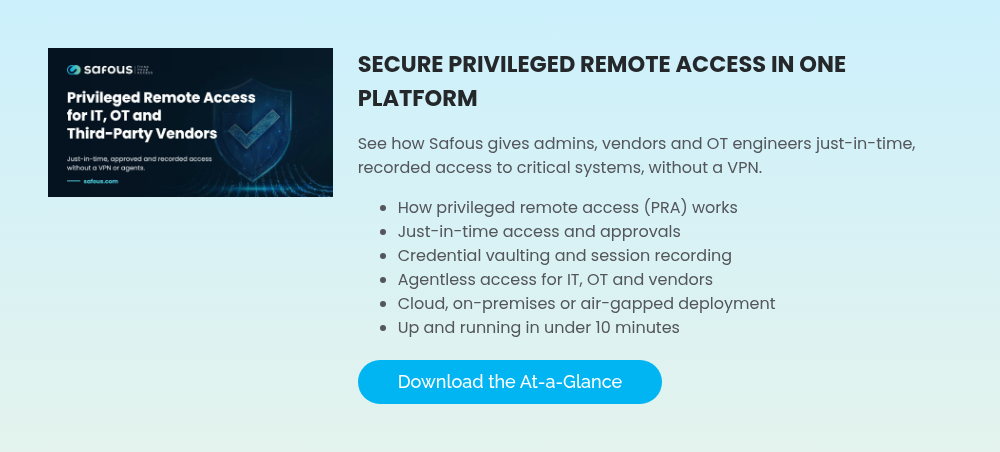
RPAM gives you a secure, central way to manage third-party vendor access, with features like:
1. Granular Access Control
RPAM uses role-based access control (RBAC) so vendors get only the minimum access their tasks require. RBAC does this by:
- Limiting access to specific systems and applications based on job requirements
- Enforcing least privilege principles to minimize security risks across your environment
- Using just-in-time (JIT) access to grant temporary, time-restricted permissions only when needed
With RPAM, you control who accesses what, when, and for how long. Unlike traditional privileged access management (PAM), which focuses on internal administrators, RPAM is designed for vendors connecting from outside. Vendor privileged access is granted per task and expires automatically.

2. Real-Time Session Monitoring
RPAM monitors vendor sessions in real time and records all activity in critical systems. This moves your security from reactive to proactive by:
- Detecting suspicious behavior and unauthorized changes as they occur
- Immediately terminating sessions when threats appear
- Providing an audit trail for forensic investigations and compliance reporting
- Recording videos of sessions for training and security review purposes
Your team sees potential issues right away and has full visibility into vendor activity. This shortens the time it takes to detect and respond to threats.
3. Secure Credential Management
RPAM removes the need to share static credentials with vendors. Privileged credentials are encrypted and stored in a secure vault. This strengthens third-party vendor access management by:
- Supporting password rotation to reduce exposure and credential theft risk
- Preventing vendors from storing or reusing passwords insecurely
- Integrating with multi-factor authentication (MFA)
This approach blocks many common attacks that target vendor passwords and login systems.
4. Compliance With Regulatory Standards
Finance, healthcare, and other regulated industries must meet strict data security and access control rules. RPAM simplifies compliance by:
- Enforcing GDPR access controls for protecting sensitive personal data
- Meeting PCI-DSS requirements for securing vendor access to payment systems
- Aligning with ISO 27001 and NIST best practices for privileged access security
- Generating compliance reports that demonstrate proper access controls
- Creating audit logs that satisfy regulatory evidence requirements
These features save your team hours of manual documentation. They also give auditors stronger evidence of your security controls.

Vendor Privileged Access vs. Internal Admin Access
Vendor access and internal admin access both involve elevated rights. But they need different controls.
- Identity: Internal admins are in your directory. Vendors usually are not, so you need a safe way to verify outside users.
- Devices: Your IT team manages admin laptops. Vendor devices are outside your control.
- Duration: Admins need ongoing access. Vendors usually need access for a single task or a short project.
- Oversight: Vendor sessions often need approval and closer monitoring, because you can't rely on internal policies and training.
Treating vendors like internal admins often leads to too much access for too long. A vendor remote access policy should start from zero access and grant only what each task needs.
Vendor Onboarding and Offboarding
Many vendor risks come from poor account lifecycle management. Accounts are created quickly and then forgotten.
Onboarding: Provisioning Vendor Accounts
Good onboarding sets clear limits from day one:
- Create a named account for each vendor user. Avoid shared logins.
- Require MFA for every vendor user.
- Assign access to specific systems based on the contract or work order.
- Set an expiry date that matches the engagement.
Offboarding: Deprovisioning Vendor Accounts
Offboarding is just as important. Stale vendor accounts are easy targets for attackers.
- Remove access as soon as a project or contract ends.
- Disable accounts when a vendor staff member leaves their company.
- Review vendor accounts regularly and remove any that are no longer used.
- Keep session records for audits, even after access is removed.
Approval Workflows for Vendor Access
Approval workflows add a human check before a vendor connects. A typical flow works like this:
- The vendor requests access to a specific system and states the reason.
- One or more approvers, such as the system owner and security team, review the request.
- Access opens for the approved time window only.
- Access closes automatically when the window ends.
This keeps the right people informed and makes every vendor session traceable to a request and an approval.
OT and Industrial Vendor Access Considerations
Industrial sites depend heavily on vendors. Machine builders, system integrators, and automation suppliers often support equipment remotely. OT environments add special concerns:
- Safety and uptime: A wrong command can stop a line or damage equipment. Live monitoring and the ability to end a session quickly are critical.
- Legacy systems: Many OT assets run older operating systems that can't support agents or modern login methods.
- Network separation: OT networks are often segmented or air-gapped. Opening inbound firewall ports for vendors weakens that separation.
- Plant-floor access points: Vendors may need to reach HMIs, PLC engineering workstations, or historians. Access should be limited to those exact assets.
For OT, choose a vendor remote access approach that works without inbound ports and can run on-premises or offline when needed.
Agentless, browser-based access also helps. Vendors can connect over protocols like RDP, SSH, or VNC without installing software on plant systems. This keeps the OT environment cleaner and easier to manage.
Coordination matters too. Plant teams should know when a vendor will connect and what they will change. Tying each vendor session to an approved work order helps operations, safety, and security teams stay aligned.
How to Roll Out Secure Vendor Remote Access
Use these steps to move from ad hoc vendor access to a controlled model:
- List your vendors and their access. Record which vendors connect, to which systems, and by which method.
- Rank by risk. Start with vendors that reach critical IT systems or OT assets.
- Define access policies. Set who can access what, for how long, and who approves.
- Move vendors to RPAM. Replace VPN accounts, shared logins, and ad hoc remote desktop tools with RPAM access.
- Turn on monitoring and recording. Make sure every vendor session is logged and can be reviewed.
- Set up onboarding and offboarding. Link vendor accounts to contracts and expiry dates.
- Review regularly. Check access rights, approvals, and session records on a set schedule.
Keep the vendor experience in mind during rollout. If the new process is slow or confusing, vendors will push for exceptions. Give them a simple login flow and clear instructions. A short pilot with one or two trusted vendors can reveal problems early.
Finally, write vendor access terms into contracts. Require named accounts, MFA, and acceptance of session recording. This sets expectations before the first connection.
Strengthen Your Vendor Access Security With Safous
Third-party vendor access creates risk for many organizations, so supply chain security matters more than ever. Securing vendor remote access starts with treating every vendor connection as a privileged session: verified, limited to the systems vendors need, and recorded. RPAM lets you limit what vendors can see and do, watch their activity, and keep detailed records of their actions. Stolen vendor credentials become far less useful as entry points into your systems, which makes supply chain attacks much less likely.
At Safous, we understand the importance of protecting your business from supply chain attacks. Safous delivers RPAM capabilities to help enterprises protect, control, and monitor remote access to privileged accounts. Safous combines remote privileged access management with multi-factor authentication, single sign-on, and other essential security features in a user-friendly interface. It needs no inbound firewall ports and can be deployed in the cloud, on-premises, or fully offline.
Reach out today to see how Safous can strengthen your supply chain security and safeguard your critical systems from unauthorized access.
Sources:
Subscribe with Safous
Receive the latest news, events, webcasts and special offers!
Share this
How Safous Redefines RPAM to Combat Deepfake Attacks

How Safous Redefines RPAM to Combat Deepfake Attacks
Jul 18, 2025
4
min read
7 Benefits of Using RPAM in Multi-Cloud Security

7 Benefits of Using RPAM in Multi-Cloud Security
Mar 05, 2025
4
min read
How Zero Trust and Remote PAM Fast-Track ISO/IEC 27001 Compliance

How Zero Trust and Remote PAM Fast-Track ISO/IEC 27001 Compliance
Sep 12, 2025
4
min read