









Securing access to critical systems and data is getting harder. Admins, vendors, and engineers now connect from many places, not just the office. Security tools built for on-premises networks were not designed for this. Attacks are also more advanced, and the business still has to keep running. Remote privileged access management gives organizations a better way to control these high-risk connections.
That's where Remote Privileged Access Management (RPAM) comes in. Gartner® emphasized the concept of RPAM in the report Securing Remote Privileged Access Management Through RPAM Tools,1 which highlights the growing need for RPAM. It describes RPAM as a security approach for managing and monitoring privileged access to sensitive systems from remote locations.
Privileged accounts have elevated permissions. They can change systems, read sensitive data, or stop operations. As more work happens remotely, protecting these accounts has become a top priority in every industry. This guide explains what RPAM is, how it differs from other tools, and how to put it in place.
What Is Remote Privileged Access Management?
Remote privileged access management (RPAM) is a set of controls for privileged users who connect from outside the corporate network. These users include internal IT admins, third-party vendors, and OT engineers.
RPAM answers four questions for every remote privileged session:
- Who is connecting, and is their identity verified?
- What systems can they reach, and with which account?
- When and for how long is the access allowed?
- What did they do during the session?
Instead of opening the network to the user, RPAM connects the user to one specific system. Every step is checked, limited, and recorded.
Why Isn't a Combination of Remote Access and PAM Enough?
For years, businesses have relied on VPNs and Privileged Access Management (PAM) tools to secure their networks. But these tools fall short in distributed work environments, even when used together.
VPNs usually lack granular controls. IT teams need those controls to manage access across cloud services, on-premises systems, and hybrid infrastructure. VPNs can also be hard to use, so people find workarounds that weaken security.
PAM tools work well for privileged accounts inside a defined network perimeter. They struggle in more dynamic environments. They often can't grant and remove access quickly across many environments. That speed matters more as remote third-party access risks grow.
In short, traditional remote access and PAM don't give IT teams enough visibility and control to respond quickly to threats. RPAM combines the best parts of remote access and PAM and addresses the gaps between them.
How RPAM Differs From PAM
Traditional PAM was built mainly for internal administrators on the corporate network. It focuses on storing privileged credentials and controlling admin accounts.
RPAM keeps those goals but adds the remote connection itself. It handles identity checks, access approval, and the secure path to the target system for users outside the network. This makes it a better fit for vendors and field engineers who don't have corporate devices or accounts.
How RPAM Differs From VPN and ZTNA
A VPN places the user on the network. Once connected, the user can often reach far more systems than the task requires. A VPN also does little to control which privileged account is used or to record what happens.
Zero trust network access (ZTNA) improves on this. It grants access per application instead of per network. However, ZTNA is usually designed for everyday users reaching business apps. It may not include privileged controls like credential vaulting, approval workflows, and session recording.
RPAM applies zero trust ideas to privileged access specifically. Users reach only the approved system, with an approved account, for an approved time. Sessions are watched and recorded.
Core Features of RPAM
RPAM solutions include several features that address the unique security challenges of remote access:
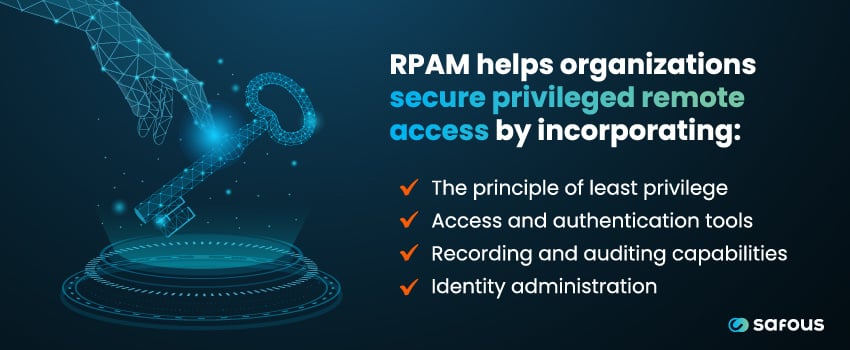
- The Principle of Least Privilege: RPAM gives employees and third-party users access only to the resources their roles require. It also secures shared accounts and supports just-in-time access limited by time and other conditions. These limits reduce the chance of unauthorized access and the exposure of sensitive resources.
- Access and Authentication: RPAM helps manage the identities of remote privileged users. This often includes identity federation with existing identity systems and real-time session management. RPAM also uses password vaulting and multi-factor authentication (MFA) to block unauthorized access and credential theft.
- Recording and Auditing: RPAM records and audits privileged sessions. Detailed logs of user actions support compliance with regional and industry rules. They also give better oversight, so teams can detect and respond to suspicious behavior faster. Privileged session management and session monitoring let security teams watch activity on administrative accounts as it happens and end a session if needed.
- Identity Administration: RPAM often includes self-registration, self-service password renewal, and lifecycle management. Users can manage their own access details. This reduces the workload on IT and security teams and makes access easier for users.
Time-Bound and Just-in-Time Access
Standing privileges are a common risk. An account that always has admin rights is always a target, even when no one is using it.
Just-in-time (JIT) access removes that standing access. A user requests access when a task begins. An approver reviews the request. Access opens for a set time window and then closes on its own. If credentials are stolen later, they are far less useful to an attacker.
Privileged Session Management and Monitoring
Privileged session management controls the session from start to finish. Users connect through the RPAM platform, not directly to the target. This lets the platform apply policy, inject credentials, and record activity.
Security teams can view live sessions. They can end a session at once if something looks wrong. Recordings and logs are kept for later review and audits.
Suspicious Activity Detection
Session data helps teams spot unusual behavior. Examples include logins at odd hours, access to systems outside a user's normal scope, or risky commands. Many RPAM tools can alert on these events or flag them for review. Fast detection limits how far an attacker can get.
The Lifecycle of a Privileged Remote Connection
According to Gartner, a complete RPAM solution manages the entire lifecycle of a privileged remote connection. This runs from the first identity check to the end of the session. During the session, RPAM keeps monitoring activity and enforcing policy to prevent unauthorized actions.
A typical lifecycle looks like this:
- Verify identity with single sign-on and MFA.
- Request and approve access to a specific system for a specific time.
- Connect through the RPAM platform, with credentials supplied from the vault.
- Monitor the session live, with the option to terminate it.
- End and record the session, keeping logs for audit.
Adopting RPAM helps your organization protect critical assets, meet compliance requirements, and reduce the risks of remote privileged access. This matters because the impact of a breach can be severe.
Common RPAM Use Cases
RPAM supports any user who needs elevated access from outside the network. Three groups stand out.
IT Administrators
Internal admins manage servers, network devices, databases, and cloud platforms. Many now work from home or travel between sites. RPAM gives them secure access without a broad VPN connection. Their privileged actions are also recorded.
Third-Party Vendors
Vendors and contractors often need access for support, upgrades, and maintenance. They use their own devices and are not managed by your IT team. RPAM lets you grant access per task, require approval, hide credentials, and review every session. Access can end automatically when the job is done.
OT Engineers
Manufacturing plants, energy sites, and other industrial facilities rely on remote experts. These engineers connect to control systems, HMIs, and engineering workstations. A mistake or an attack here can stop production or damage equipment. RPAM limits access to the exact assets needed and keeps a full record of what changed.
How RPAM Protects Sensitive Data and Reduces Breach Risk
Privileged accounts are a favorite target because they unlock so much. RPAM reduces breach risk in several ways:
- Smaller attack surface: Users reach only approved systems, not the whole network.
- Less credential exposure: Passwords stay in a vault and are not shared with users.
- No standing access: Time-bound access closes the window attackers rely on.
- Faster response: Live monitoring lets teams stop a risky session right away.
- Clear evidence: Recordings and logs support investigations and audits.
Together, these controls protect sensitive data even when a user's device or password is compromised.
How to Evaluate and Implement RPAM
A structured rollout makes RPAM easier to adopt. Use these steps as a starting point:
- Inventory privileged access. List the systems, accounts, and users that need remote privileged access. Include vendors and OT assets.
- Define policies. Decide who can access what, when, and with whose approval.
- Check protocol and system coverage. Confirm the tool supports the protocols you use, such as RDP, SSH, VNC, and web apps.
- Review deployment options. Look at cloud, on-premises, and offline options. Check whether the tool needs inbound firewall ports.
- Integrate identity. Connect your identity provider for SSO and MFA.
- Start with a pilot. Begin with one high-risk group, such as a key vendor, and refine the policies.
- Expand and review. Roll out to more users and systems. Review recordings, logs, and access rights on a regular basis.
Minimize Privileged Access Risks With Safous and RPAM
As remote work continues, RPAM has become more urgent. Remote privileged access management improves the security of privileged access and helps organizations meet modern compliance standards. With RPAM, your business can protect sensitive systems and data while supporting a distributed workforce.
Safous brings RPAM capabilities together in one platform. Users get just-in-time access with multi-stage approvals, credential injection so passwords are never shown, and live session monitoring and recording. Safous needs no inbound firewall ports and can run in the cloud, on-premises, or fully offline. Safous is provided by IIJ, Japan's first internet service provider.
Book a demo today to learn more about how Safous can help safeguard your critical systems and minimize privileged access risks.
Sources:
Subscribe with Safous
Receive the latest news, events, webcasts and special offers!
Share this
Previous story
← What Is Operational Technology (OT) Security?
5 Benefits of Remote Privileged Access Management (RPAM) for MSPs

5 Benefits of Remote Privileged Access Management (RPAM) for MSPs
Mar 27, 2024
3
min read
How Safous Redefines RPAM to Combat Deepfake Attacks

How Safous Redefines RPAM to Combat Deepfake Attacks
Jul 18, 2025
4
min read
7 Benefits of Using RPAM in Multi-Cloud Security

7 Benefits of Using RPAM in Multi-Cloud Security
Mar 05, 2025
4
min read